

























Battleship Empire
Battleship Empire - Play Online
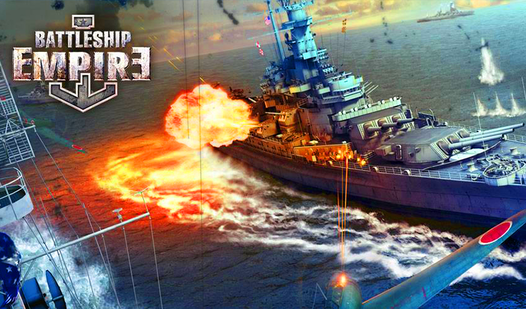
Deploy your fleet. Fire on enemy coordinates. Sink every warship before they obliterate yours. Classic grid warfare with zero downloads—click and play the naval showdown that turns patience into pure tactical aggression.
How to Play Battleship Empire
Arrange ships on your grid using drag-and-drop or hit the random deployment button. Click Start. Pick a square on the enemy grid to launch a missile. Direct hits reveal ship sections; miss and the turn shifts to your opponent. Chain strikes around damaged zones to sink entire vessels. Win by destroying the full enemy fleet before yours gets wiped.
Grid Strategy and Ship Placement
Drag destroyers, cruisers, and carriers across the 10x10 water grid. Overlap is illegal. Cluster ships for aggressive early trades or spread them wide for survival odds. Random arrangement speeds setup but sacrifices control. Watch the right-side fleet status UI—each vessel shows hit markers the moment damage lands. If one ship lights red with "SUNK," adjust your defensive predictions fast.
Turn-Based Firing and Damage Chains
Click any square on the enemy grid. Explosion sprites confirm hits; water splashes mark misses. After a successful strike, fire on adjacent tiles—horizontal or vertical—to finish off the wounded ship. No missile cooldowns. No ammo limits. Just raw deduction and systematic elimination. Miss once and the AI fires back, so pattern your shots to maximize consecutive hits before losing initiative.
Pro Tips for Dominating the Seas
Target corners and edges first—most players stack larger ships there for perceived safety. After landing a hit, sweep all four adjacent squares in a plus pattern to locate the ship's axis. Never fire randomly across the grid; work sector by sector to avoid wasted turns. If the score counter on the left climbs fast, the enemy's clustering ships—exploit dense zones with rapid follow-up strikes. Use the Sound button to mute effects if you need stealth grinding at work or school.
Key Features
- Turn-Based Grid Combat: Classic Battleship mechanics with 10x10 grids, drag-and-drop deployment, and click-to-fire missile targeting.
- Flat Isometric Visuals: 2D sprites with basic explosion billboards and neon tactical font deliver instant clarity on any device.
- Fleet Status Tracking: Real-time UI on the right sidebar shows each ship's health with red "SUNK" indicators updating after every successful hit chain.
- Browser-Ready Access: No installs. Launch Arcade games like this from desktop or Android in seconds for quick-session naval warfare.
Who is Battleship Empire for?
Perfect for strategy fans chasing tactical deduction without time pressure. Office breakers, students between classes, and nostalgia hunters craving board-game logic in digital form. If methodical thinking beats twitch reflexes for you, this grid showdown rewards patience. Sea Battleship players will recognize the flow instantly—same ship placement tension, same satisfying explosion when a destroyer goes down. Fullscreen mode locks focus when you need total concentration on enemy patterns.
Developer
Battleship Empire was developed by NEXON Games. Battleship Empire translates classic naval grid warfare into instant browser action—no downloads, just deploy your fleet and start firing on enemy coordinates across desktop and Android platforms.
Controls
- Mouse Click / Tap: Select grid squares to deploy ships during setup and fire missiles during combat
- Drag: Move ships across your grid before the match starts
- Start Game Button: Begin turn-based combat after fleet deployment
- Random Arrangement Button: Auto-deploy all ships instantly for faster match start
- Sound Button: Toggle explosion effects and UI audio
FAQ
Can I play Battleship Empire on mobile devices?
Yes, the game runs on Android through any browser. Tap to place ships, tap enemy grid squares to fire. No app store downloads needed—launch Ship Games directly and start commanding your fleet in seconds.
How do I know which ships are sunk in Battleship Empire?
Check the fleet status sidebar on the right during combat. When you destroy an entire enemy vessel, red "SUNK" text appears next to its icon. Your own ships show the same indicator when the AI wipes one out, so track damage in real time and adjust your strategy before it's too late.
Is there a faster way to set up my fleet?
Hit the Random Arrangement button during setup. The game auto-deploys all ships across legal grid positions instantly. Manual drag-and-drop gives strategic control, but random placement skips the wait when you want to jump straight into firing missiles.
What happens if I miss a shot in Battleship Empire?
Your turn ends and the enemy AI fires back. A water splash marks your miss on the grid, so track your previous attempts to avoid duplicate shots. Chain consecutive hits before missing to sink ships faster—one wasted click gives the opponent a chance to damage your fleet. Battle Ships General Quarters 2 shifts this mechanic to real-time if you want nonstop naval action instead of turn-based tension.
Do I need to download anything to play?
Zero downloads. Open Battleship Empire in any browser on Games For Pc or Android and start placing ships immediately. Fullscreen option locks you into tactical mode when you're ready to dominate the grid. Navy Battleship Attack Shooting offers similar instant access but trades grid strategy for first-person cannon combat if you want a different naval vibe.